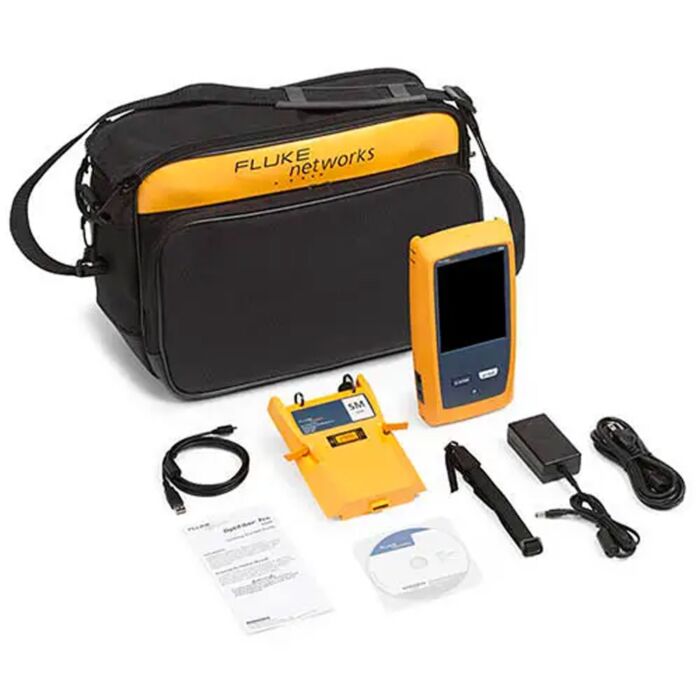
The Fluke Networks OFP2100SNW OptiFiber Pro/Versiv 2 Kit with Single-Mode OTDR (Non-Wireless Version) is a purpose-built OTDR that meets the unique challenges of an enterprise fiber infrastructure. With its simple Taptive user interface and powerful feature set, the OFP2-100-S-NW OptiFiber Pro turns anyone into an efficient and expert premise fiber troubleshooter or installer.
- OptiFiber Pro/Versiv 2 kit with multi-mode OTDR
- Non-Wireless version
- Taptive user interface puts advanced data analysis, easy set-up and operation at technician's fingertips - at all skill levels
- SmartLoop OTDR enables automated testing and analysis of two fibers in single test, eliminating need to travel to far end of connection to perform tests
- Multiple wavelengths support variety of applications: 850, 1300, 1310, 1490, 1550, 1625 nm
- Splitter detection for automated discovery of splitters
- Up to 3 cascaded splitters may be found or manually configured
- Macrobend detection for automatic identification of bends
- Expert Manual Mode - Simplifies experimentation which allows users to zero in on part of trace that is of interests
- Ability to edit or add events - Add 0 dB events, such as perfect splices not seen by OTDR, or change event to correct type: APC connector, splice or loss event
- Span portion of link - Allows users to select segment of fiber for analysis within longer segments
- Span allows users to test only portion for which user is responsible
- Stackable results and batch processing of traces - When testing many identical fibers simultaneously, batch processing allows users to look at multiple traces and stack them to spot differences and/or batch edit events quickly
-
Applications
- Datacenter Networks
- Enterprise & Campus Premise Cabling
- Standard Compliance Certification
- Fault Detection & Localization
Each Unit Includes
- 1 - Versiv 2 Mainframe
- 1 - OptiFiber Pro Singlemode OTDR module
- 1 - Shoulder Strap
- 1 - USB Interface Cable
- 1 - Versiv 2 Open Source Software CD
- 1 - AC Charger
- 1 - Statement of Calibration and Getting Started Guides